JD LUXE Live Dealer Games: How to Join a Table and Place Bets
What Are Live Dealer Games?
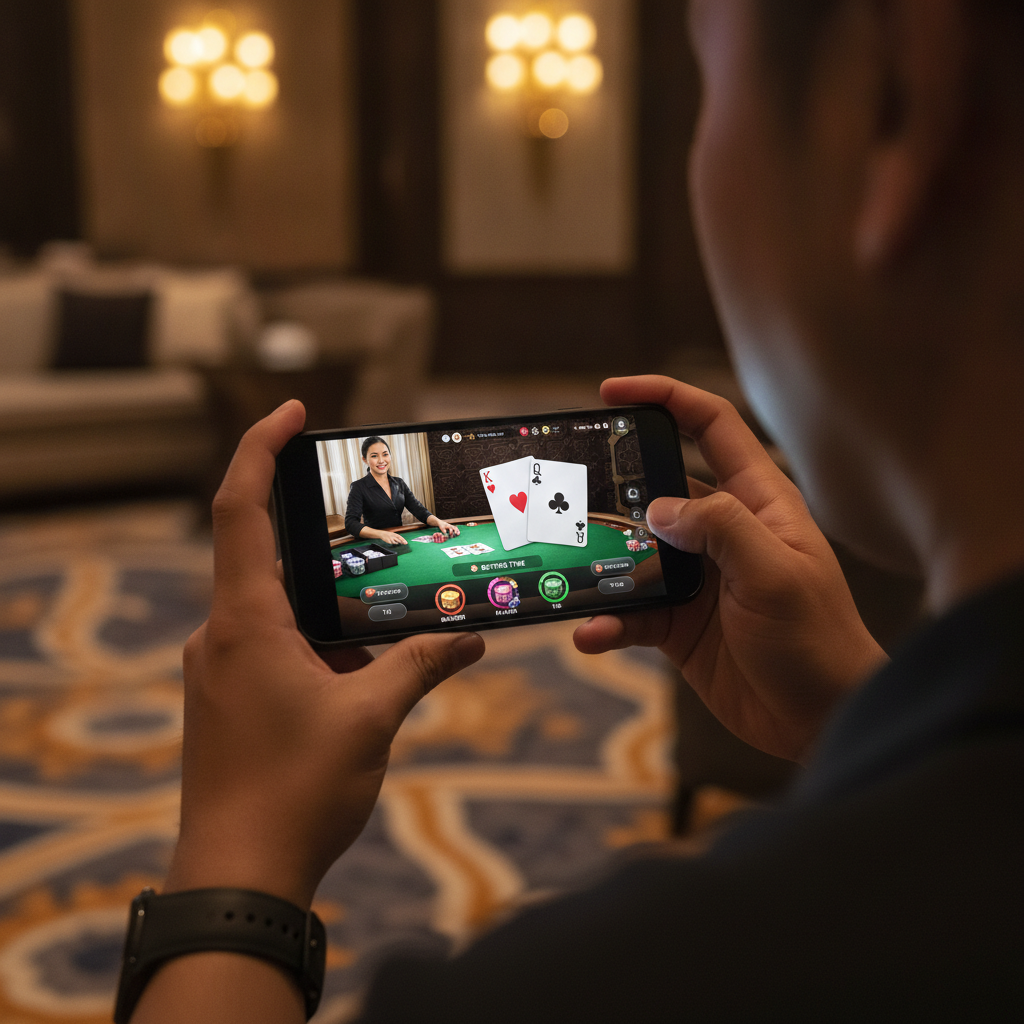
Live dealer games stream real card tables and roulette wheels to your phone. Instead of computer-generated results, you watch a human dealer shuffle cards, spin the wheel, and announce outcomes in real time. JD LUXE offers live versions of the most popular casino games for Filipino players who want the feel of a physical casino without leaving home.
When you join a JD LUXE live dealer table, you see the dealer through your phone's screen, place bets by tapping buttons, and follow the action as it happens. Each round runs on a timer, so you bet alongside other players from across the Philippines.
Live Dealer Games Available at JD LUXE
JD LUXE offers three main live dealer games:
Baccarat is the most popular choice. You bet on Player, Banker, or Tie before the dealer draws two hands. The hand closest to nine wins. Most tables show the scoreboard history so you can see recent results.
Blackjack seats up to seven players per table. The dealer deals two cards to each player and themselves. You tap to Hit, Stand, Double, or Split, aiming to beat the dealer's hand without going over 21.
Roulette shows a physical wheel. You place bets on numbers, colors (red or black), odd or even, or groups of numbers. The dealer spins the wheel and drops the ball; wherever it lands determines the winners.
Each game runs on multiple tables with different minimum bets, so you can choose a table that fits your budget.
How to Enter a Live Table on Your Android Phone
Once you complete your JD LUXE login, follow these steps to join a live dealer game:
- Tap the menu icon (usually three horizontal lines) on the JD LUXE home screen.
- Select "Live Casino" or "Live Dealer." The exact label depends on the platform layout, but it will be grouped with other game categories like Slots and Sports.
- Browse the available tables. You'll see thumbnail images of each table with the dealer, the current game state, and the minimum bet displayed. Tables marked "Full" or "No seats" won't let you join until a spot opens.
- Tap the table you want to join. The live video stream loads. On most Android phones this takes a few seconds; make sure you're on a stable connection—Wi-Fi or strong mobile data works best.
- Wait for the next betting round. If a hand or spin is already in progress, you'll watch until the current round finishes. The timer at the top of the screen counts down how long you have to place your next bet.
You can switch tables anytime by tapping the back or exit button and choosing a different game.
Minimum Bets and How to Place Chips
JD LUXE live dealer tables show the minimum and maximum bet before you join. Typical minimums range from PHP 20 to PHP 100 per hand or spin, depending on the game and table.
Placing Bets
Each game displays a betting grid or table on your screen:
- Baccarat: Tap the "Player," "Banker," or "Tie" box. Chip buttons appear at the bottom—PHP 10, PHP 50, PHP 100, and so on. Tap the chip value you want, then tap the betting box again to add that amount. Repeat to increase your bet.
- Blackjack: Once you're seated, tap your betting circle. Select your chip value and tap the circle to stack chips. When the timer runs out, the dealer begins dealing.
- Roulette: Tap any number, color, or section on the betting grid. Each tap adds your selected chip value. You can place multiple bets in one round—spread chips across several numbers or stick to a single color.
If you tap the wrong spot, most tables have an Undo or Clear Bets button that removes your last bet or clears the entire layout before the timer ends.
Confirming and Canceling Bets
Bets lock in when the countdown reaches zero or when the dealer announces "No more bets." Once locked, you can't change your wager. If you miss the window, wait for the next round.
Your peso balance updates immediately after each round—winnings are added, losses deducted. You can see your current balance at the top or corner of the screen.
Understanding the Live Chat and Dealer Interaction
Most JD LUXE live dealer tables include a chat box where you can type messages. The dealer may greet players by username, announce winners, or reply to simple questions. Chat etiquette is straightforward:
- Be polite. Dealers are professionals; rude or offensive messages can result in chat restrictions or account warnings.
- Keep it brief. Dealers manage the game and can't pause to have long conversations. Simple greetings or congratulations are fine.
- Don't ask about outcomes. Dealers cannot predict results, change shuffle order, or influence the wheel. They shuffle, deal, and spin according to strict procedures.
You can also see messages from other players at the table. If you prefer not to chat, you can mute or hide the chat box through the settings icon (usually a gear or three-dot menu).
Some tables offer multiple camera angles or statistics overlays. Swipe or tap icons on the screen to switch views or display scorecards, bet histories, and payout tables.
Tips for Playing Live Dealer Games on Mobile
- Check your internet connection. A weak signal can freeze the video or disconnect you mid-round. If you lose connection, your bet usually stands, and winnings are credited to your account once you reconnect.
- Enable auto-rotate or landscape mode. Many players find it easier to view the table and betting grid in landscape. Android settings may let you lock orientation.
- Set a session budget. Decide how much you're willing to bet before you start. Live dealer rounds move quickly, and it's easy to lose track of spending.
- Start at low-minimum tables. If you're new to live dealer games, join a PHP 20 or PHP 50 table to learn the flow without risking large amounts.
- Use the game history. Baccarat and roulette tables display recent results. While past outcomes don't predict the next round, history helps you spot table trends and decide where to bet.
When to Leave a Table
You can leave a live dealer table anytime between rounds. Tap the exit or back button, and your balance returns to your main account. If you're in the middle of a hand or spin, wait until it concludes—you can't withdraw a bet once the round starts.
Switching tables is simple: return to the Live Casino lobby and pick a new game or different bet limits.
Account Security While Playing Live Games
Because live dealer games involve real-time betting and peso balances, keep your JD LUXE account secure:
- Log out after every session, especially if you're on shared Wi-Fi or a public device.
- Use a strong password that mixes letters, numbers, and symbols. Don't reuse passwords from GCash, Maya, or your bank.
- Enable two-factor authentication if JD LUXE offers it. This adds an extra login step and protects your account even if someone guesses your password.
- Never share your login details with friends or in chat. JD LUXE support will never ask for your password.
If you notice unfamiliar bets or balance changes, contact JD LUXE customer support immediately through the in-app chat or email listed on the platform.
Responsible Gambling Reminder
JD LUXE live dealer games are for players aged 21 and over only. Live tables can feel immersive, and rapid rounds may encourage continuous play. Set a time limit and stick to your budget. If you find yourself chasing losses or betting more than you planned, take a break. JD LUXE provides tools to set deposit limits, session reminders, and self-exclusion options—use them whenever you need help staying in control.
Getting Started with Live Dealer Games
Live dealer baccarat, blackjack, and roulette give you the casino atmosphere on your Android phone. After you complete your JD LUXE register process and finish your first deposit through GCash, Maya, or InstaPay, you can join any live table that fits your budget. Start with the minimum bet, watch a few rounds to understand the pace, and place chips when you're ready. Whether you prefer the speed of baccarat, the strategy of blackjack, or the variety of roulette, JD LUXE live dealer games let you play in pesos, interact with real dealers, and experience table games without leaving Metro Manila or the provinces.